
The lease settings on a structure have two main functions. The first is to set up a schedule for lease reminders; the second is to set up the lease payment schedules.
Adding A Lessor
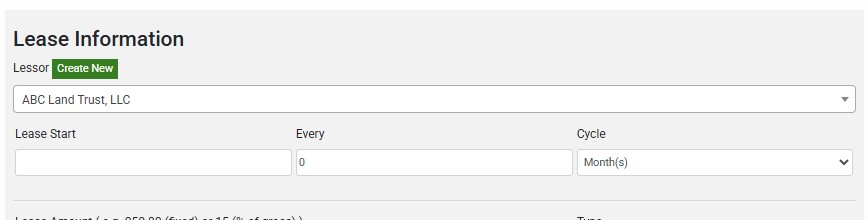
Lessors can be added to a structure by selecting an existing lessor from the dropdown or by click the “Create New” button. You should always make sure a lessor does not already exist before creating a new one.
Lease Detail and Reminder Settings
The following fields will determine how SignDash calculates lease reminders:
- Lease Start: The start date of the lease and will establish the anniversary date
- Every: The number of cycles in the lease period
- Cycle: The cycle used for the lease period
Example: A lease that begins on January 1, 2025 that renews every 3 years

Lease Payment Settings
The following fields will determine how SignDash calculates lease payments:
- Lease Amount: A decimal value that represents the dollar or percentage amount.
- Type:
- Fixed: Select this if the lease payment is a fixed dollar amount
- % of Gross: Select this if the lease payment should be calculated based on a percentage of gross revenue
- How often?: The payment cycle for lease payments
- First Payment Date: The date that the first lease payment should be made to the lessor
Example: Lease payments for 15% of gross revenue paid out quarterly beginning on January 1st, 2025. The first payment on January 1st, 2025 will be calculated based on the gross revenue from the previous quarter (10/1/2024 through 12/31/2024).
